
-Badge-Alternative-Logo.wine-cropped.svg)
Stop losing things you wanted to come back to.
Everything you've saved online—must-haves, trip plans, style inspiration, and group picks—organised in one place.
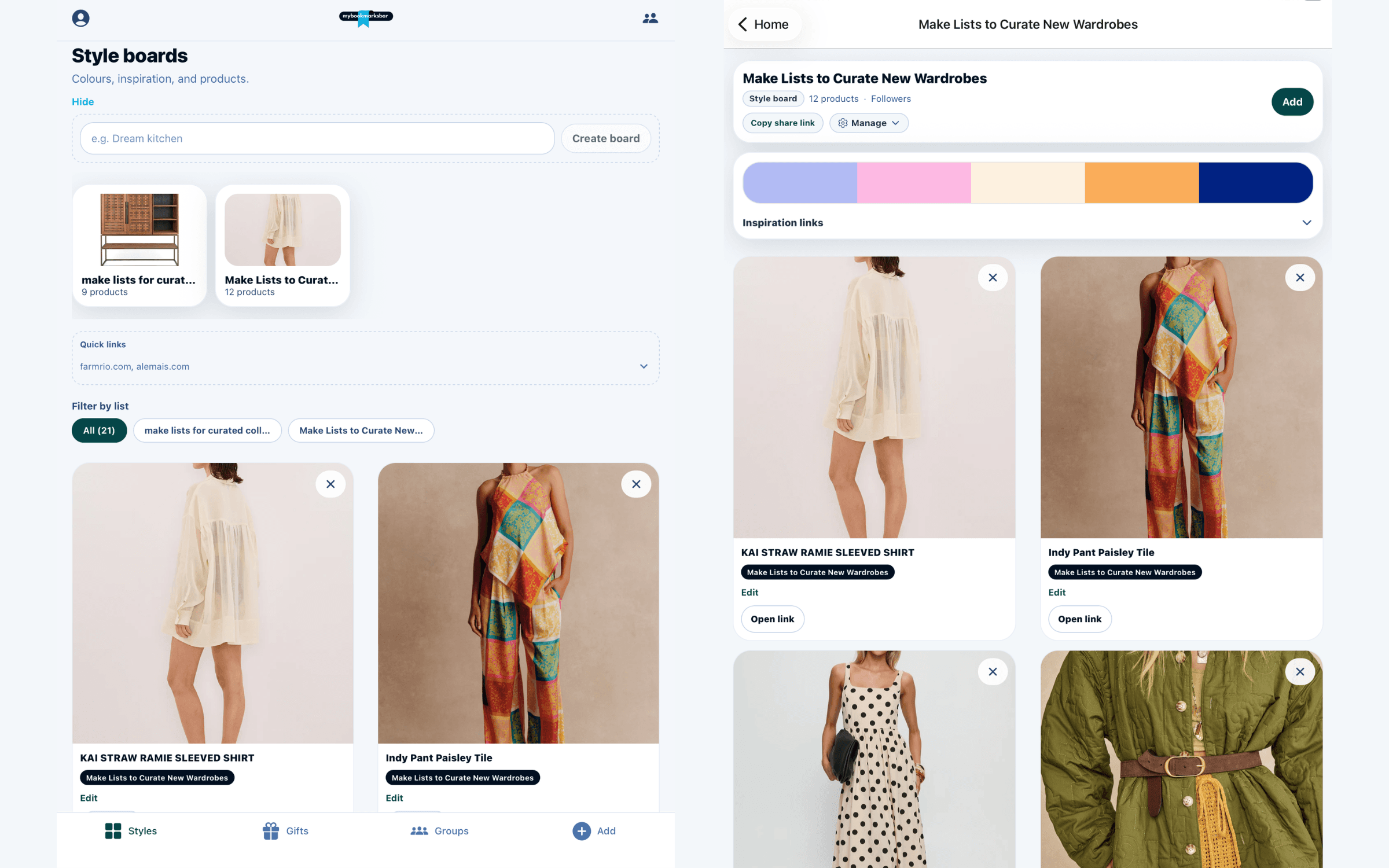
Style boards
Why it helps
Turn scattered tabs into collections you can find
Stop losing tabs and screenshots
Paste a link once—we build a card with title, image, and retailer when available.
Organise by purpose
Must haves, trip plans, mood boards, and group lists—separate collections, not one endless folder.
Find it later
Your dashboard and profile keep everything grouped by list.
Share when you're ready
Send a profile or list link; you control who sees each collection.
Use cases
Four list types for how you save
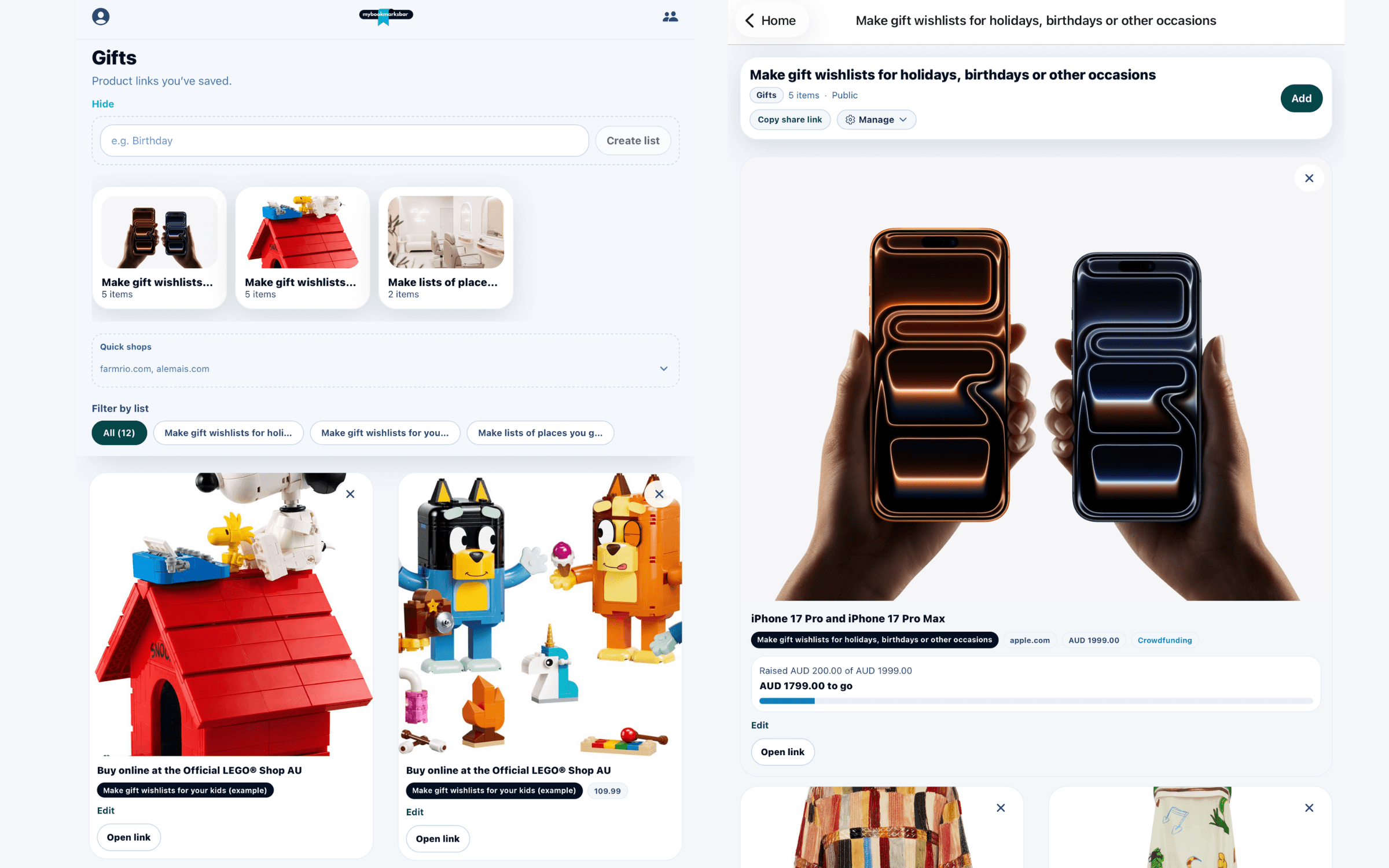
Must-have lists
Save products from any store. Save up together or mark items purchased.
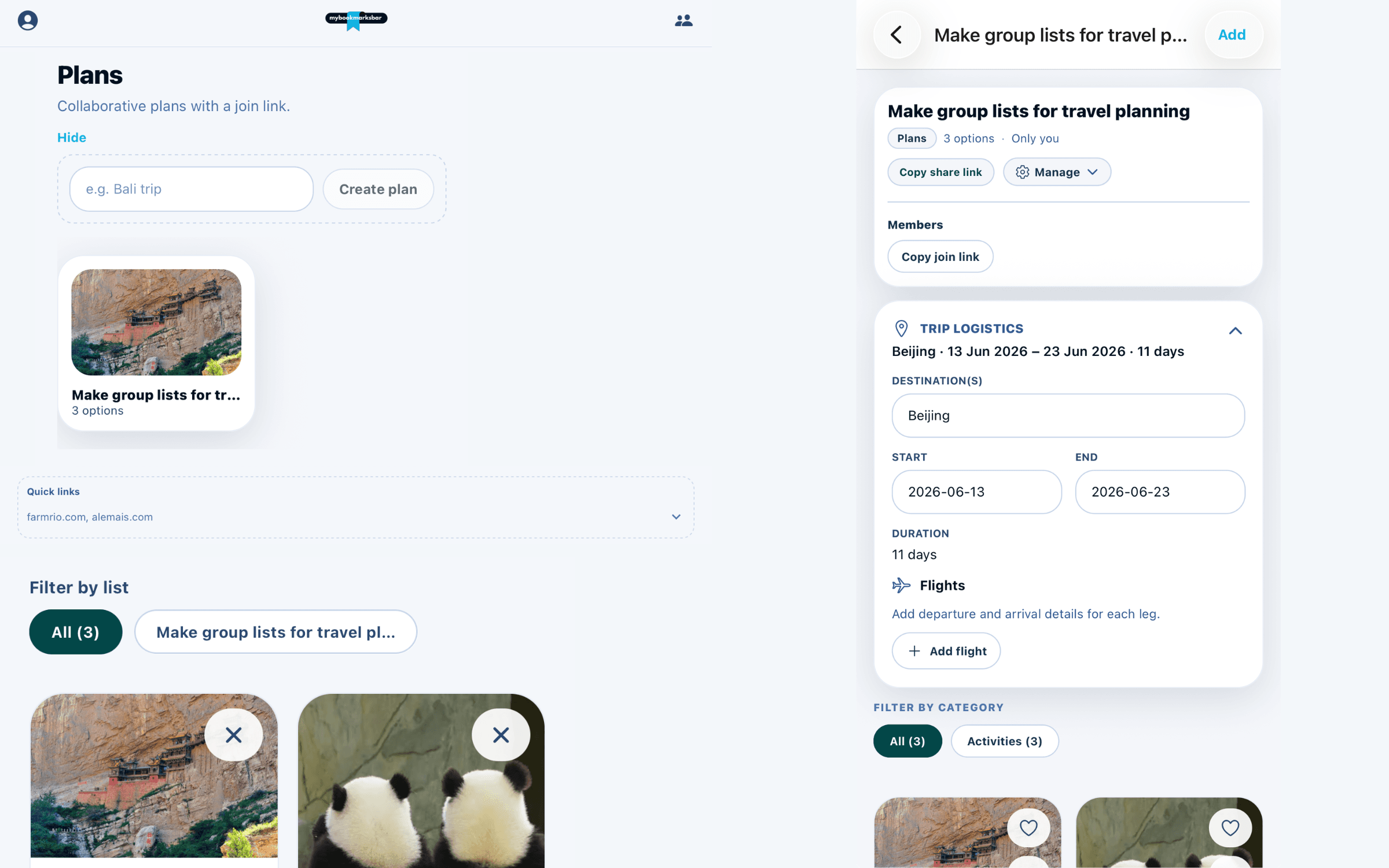
Plans
Build a trip together—destinations, dates, flights, and options tagged by category. Save up toward bigger bookings.
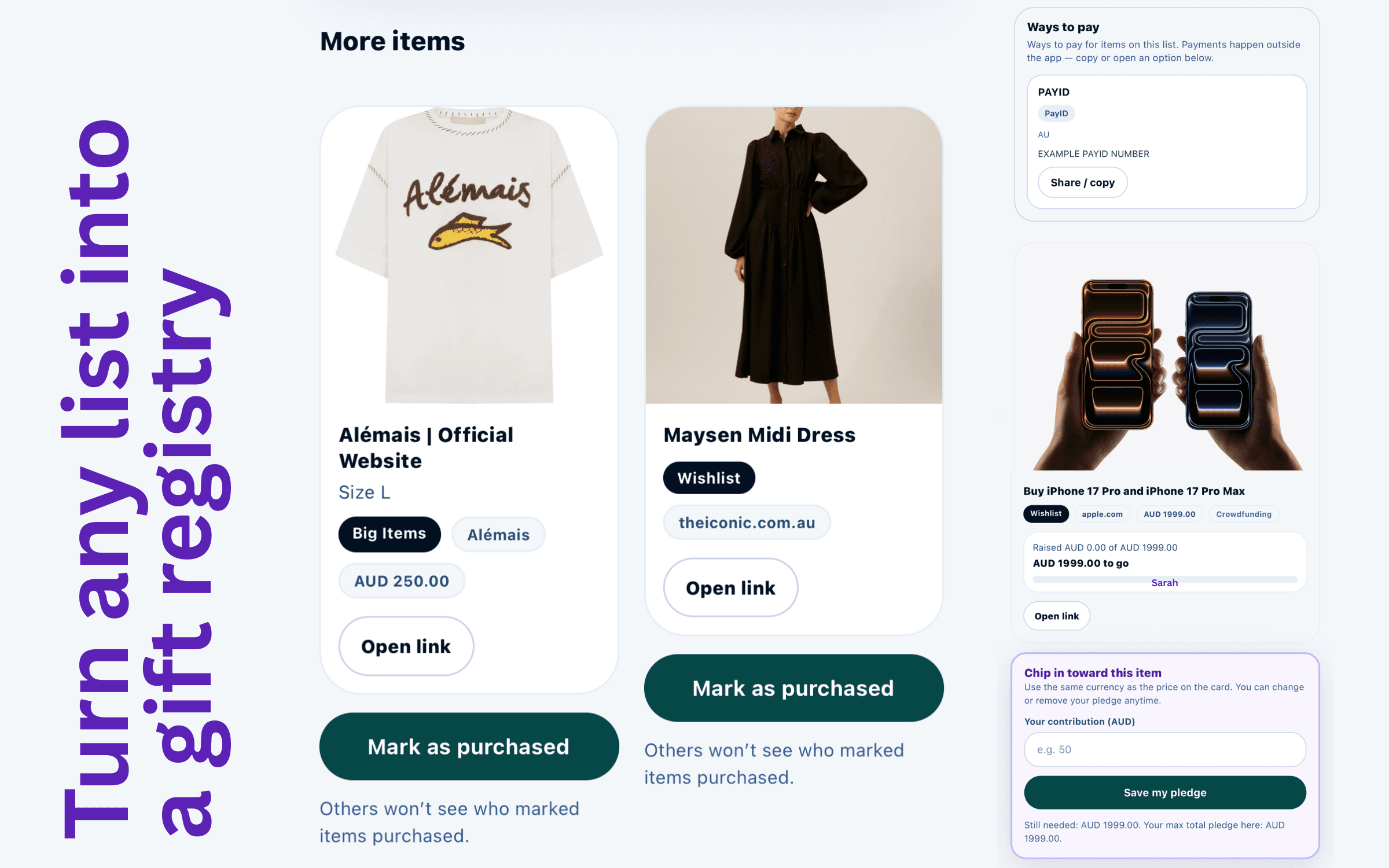
Group lists
Compare outfit picks for an event, shortlist options, and vote with likes.
Style boards
Palette, inspiration links, and saved products in one board.
How it works
From link to shared collection
- Step 1
Save a link
Web, Chrome extension, or iPhone app.
- Step 2
Pick a list
Must haves, plan, style board, or group list.
- Step 3
Share
Profile, list, or join link.
- Step 4
Decide
Shop from original links; filter plans by category; like group picks.